Device Security Posture & Compliance
Every Admiral device reports its platform security posture: whether it has a TPM, whether Secure Boot is on, whether its data disk is encrypted, and whether its disk recovery key is safely escrowed in Admiral Cloud. Fleets can then declare which of those they require, and Admiral shows every device that falls short.
What Each Device Reports
Devices send their posture with their hardware inventory and re-send it whenever it changes (for example once disk encryption is set up or the recovery key is escrowed).
| Area | What is reported |
|---|---|
| TPM | Present and usable; kind (discrete, firmware, or virtual); interface; manufacturer; firmware version; TPM spec version. |
| Secure Boot | Supported; enabled; mode (user, setup, custom, or disabled); which key databases are enrolled (PK, KEK, db, dbx). |
| Disk encryption | Enabled; scheme (LUKS2); cipher; key protector (TPM, passphrase, or none); the TPM PCRs the key is sealed to. |
| Recovery key | Escrowed (with date), pending upload from the device, or not escrowed. |
Devices running an older Admiral release show Not reported until they are updated. Not reported is never treated as "absent".
When Is the Disk Encrypted?
Admiral encrypts the device's main storage partition (workloads, images, volumes, and secret files) automatically when the device has both a usable TPM and UEFI Secure Boot enabled (not in setup mode). The disk key is sealed to the TPM against the Secure Boot state (PCR 7), so the device unlocks itself on every normal boot with no passphrase. The installer, first boot, and factory reset all apply the same rule.
| Platform | TPM | Secure Boot | Disk encryption |
|---|---|---|---|
| x86_64 UEFI (discrete or firmware TPM) | Reported | UEFI Secure Boot, signed kernel and bootloader | Yes, when TPM and Secure Boot are both on |
| ARM single-board computers | Not available | Shown as Unsupported on this hardware | No |
| NVIDIA Jetson Orin | Not available | Shown as Unsupported on this hardware | No |
Regardless of posture, every Admiral device boots a read-only, integrity-verified system image and a hardened kernel. See System Updates.
To get an encrypted disk on x86 hardware, enable the TPM and UEFI Secure Boot in firmware before running the Admiral installer. A device installed without them stays unencrypted until it is reinstalled or factory reset with both enabled.
Device Security Tab
Open a device and select Security.
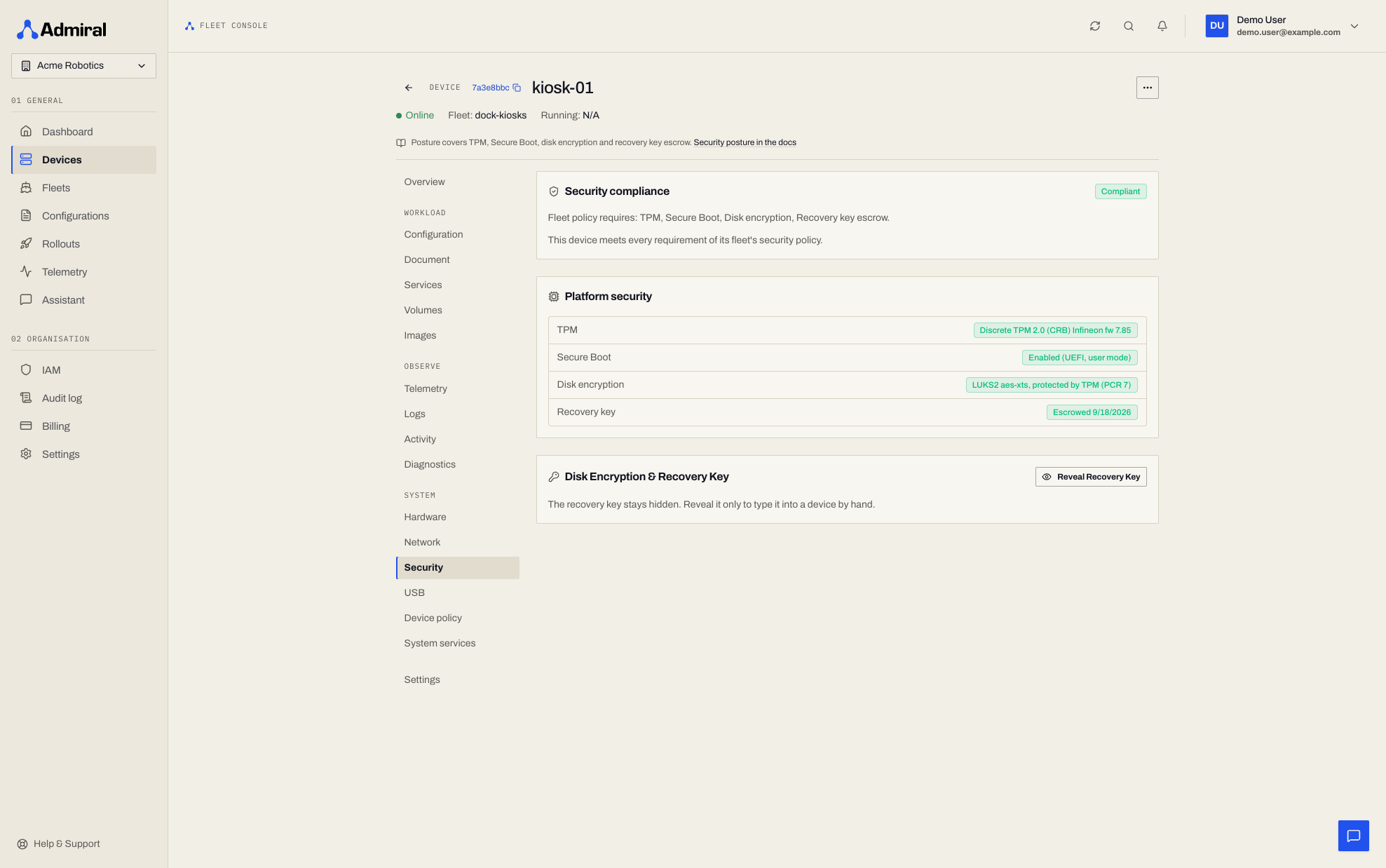
The tab has three cards:
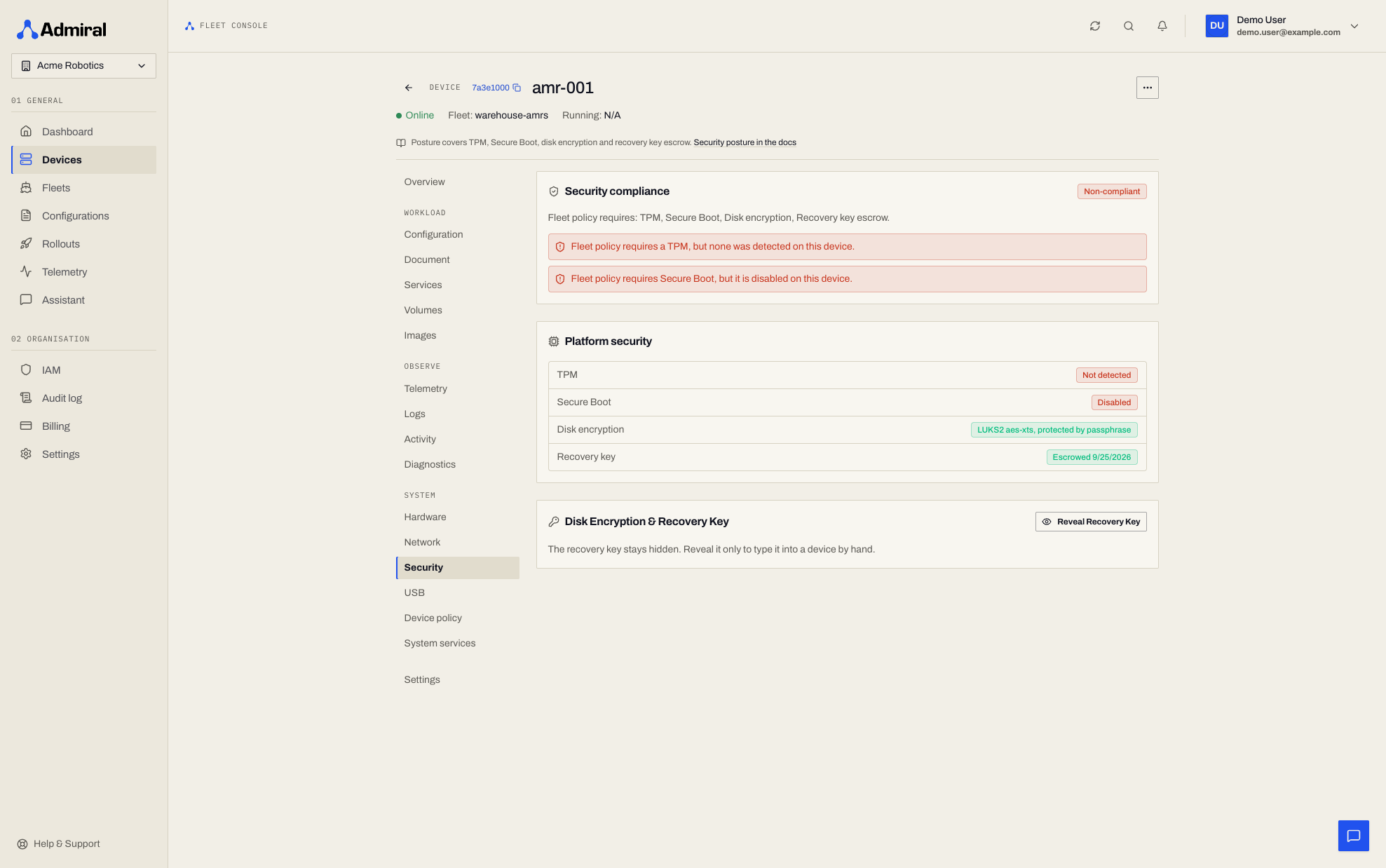
- Security compliance: a badge (Compliant, Needs attention, Non-compliant, or Not enforced), the fleet's requirements, and every violation. With no fleet policy, posture is shown for information only.
- Platform security: one row each for TPM, Secure Boot, disk encryption, and recovery key, for example Discrete TPM 2.0, Enabled (UEFI, user mode), LUKS2 aes-xts, protected by TPM (PCR 7), Escrowed. A state the fleet requires but the device lacks is shown in red.
- Disk Encryption & Recovery Key: reveal the escrowed recovery key (see below).
Fleet Security Policy
Open a fleet and select Policy > Security (/fleets/<fleet-id>/policy/security).
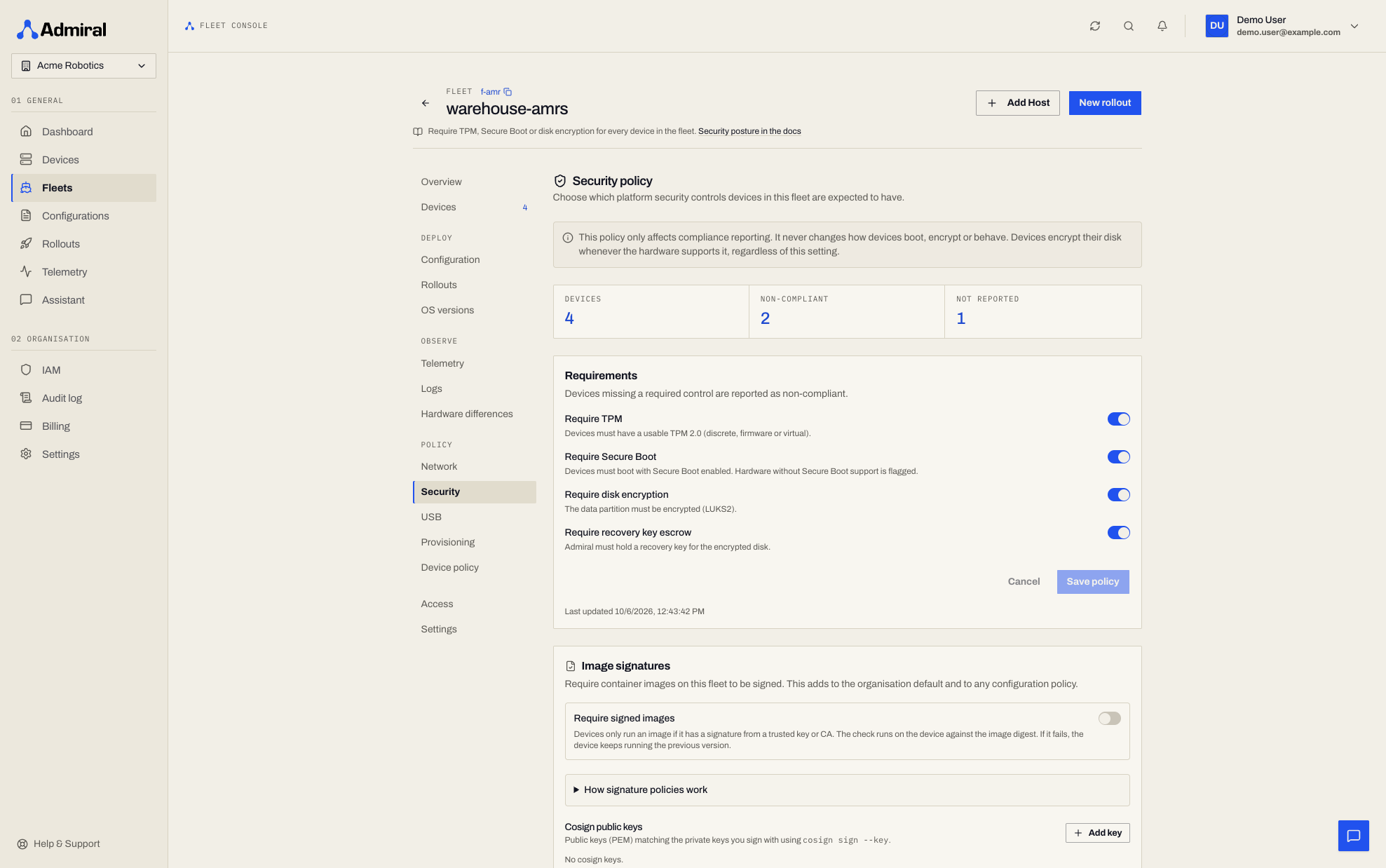
Turn on any of the four requirements and click Save policy. Modifying the fleet security policy requires the Manage security policy capability (device.security), included in the Administrator and Owner profiles. Users who only hold view permissions see the switches locked.
The four requirements:
- Require TPM
- Require Secure Boot
- Require disk encryption
- Require recovery key escrow
The tab shows how many devices are in the fleet, how many are non-compliant, and how many have not reported their posture.
A fleet security policy affects compliance reporting only. It never changes how devices boot, encrypt, or behave, and it never blocks or quarantines a device.
Compliance Levels
| Level | Meaning |
|---|---|
| Not enforced | The fleet has no requirements switched on. |
| Compliant | The device meets every requirement. |
| Needs attention | Posture or Secure Boot state has not been reported, or the recovery key has not been escrowed yet. |
| Non-compliant | A required TPM is missing or unusable, Secure Boot is unsupported or disabled, or the disk is not encrypted. |
Compliance is re-evaluated when a device's posture changes, when the policy is saved, and every five minutes. The Compliance column on the device list shows the worse of a device's connectivity and security status as a badge. Open the device's Security tab for the violations; the API returns the first one as compliance_reason.
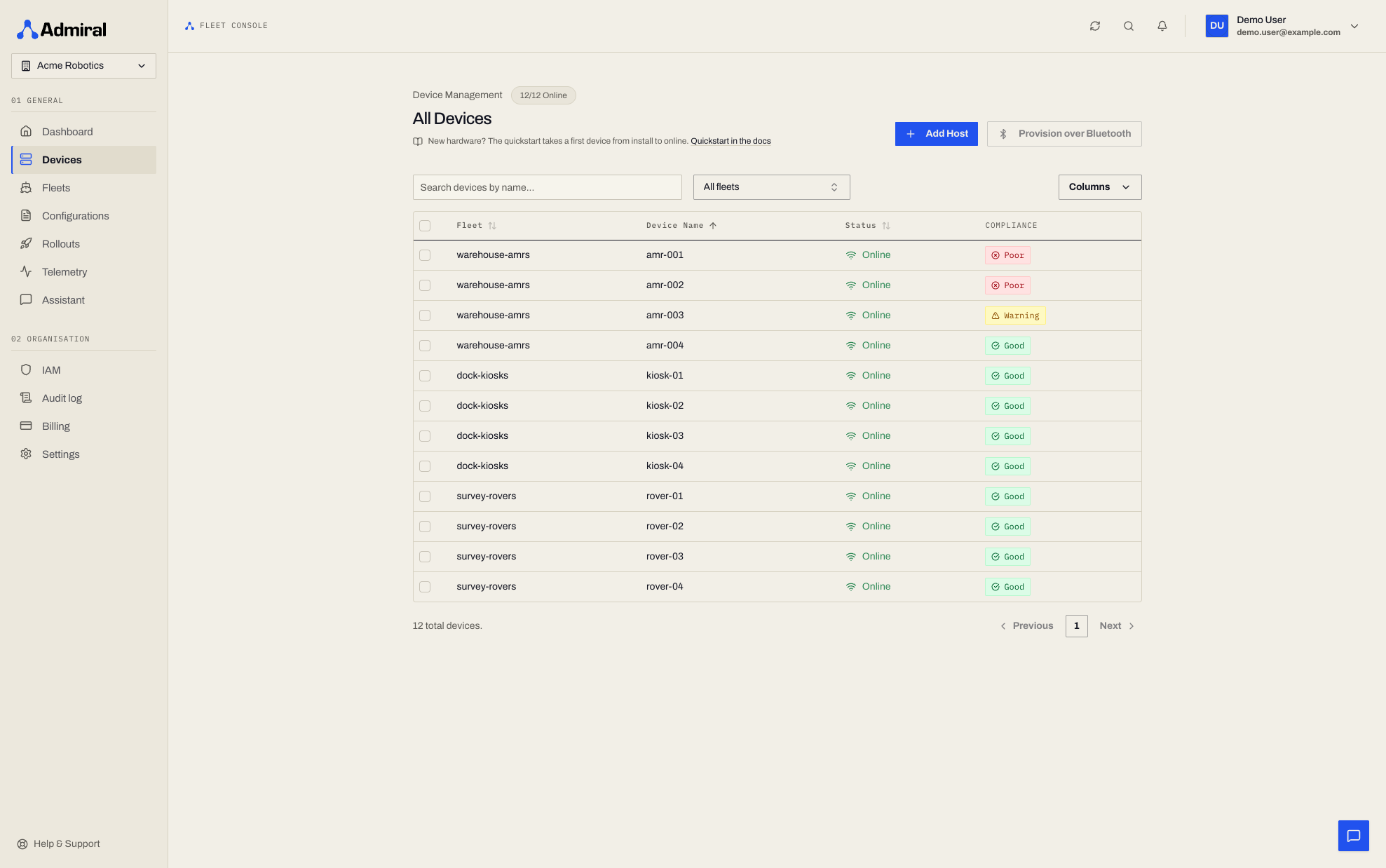
ARM boards do not report a TPM or Secure Boot. A fleet of ARM devices that requires a TPM, Secure Boot, or disk encryption will show every device as non-compliant.
API
# Read
curl -sS https://api.admrl.co/v1/fleets/$FLEET_ID/security-policy \
  -H "Authorization: Bearer ***" -H "X-Organization-ID: $ADMIRAL_ORG"

# Update (requires Manage security policy, device.security)
curl -sS -X PUT https://api.admrl.co/v1/fleets/$FLEET_ID/security-policy \
  -H "Authorization: Bearer ***" -H "X-Organization-ID: $ADMIRAL_ORG" \
  -H "Content-Type: application/json" \
  -d '{"require_tpm":true,"require_secure_boot":true,"require_disk_encryption":true,"require_recovery_key_escrow":true}'
The response includes the four flags, enforced, updated_at, devices_total, devices_noncompliant, and devices_not_reported. A device's posture and compliance are returned in the security object of GET /v1/devices/{deviceId}.
Recovery Keys
When a device encrypts its disk it generates a recovery key in the form ADMRL-XXXX-XXXX-..., uploads it to Admiral Cloud, and keeps it out of its own logs. Admiral stores the key encrypted and bound to that device.
Revealing a key: on the device's Security tab, click Reveal Recovery Key, then Copy or Hide. Revealing a key requires the Recover devices capability (device.recovery), held by the Administrator and Owner profiles. Personal API tokens, CLI sign-ins, and MCP tokens are refused.
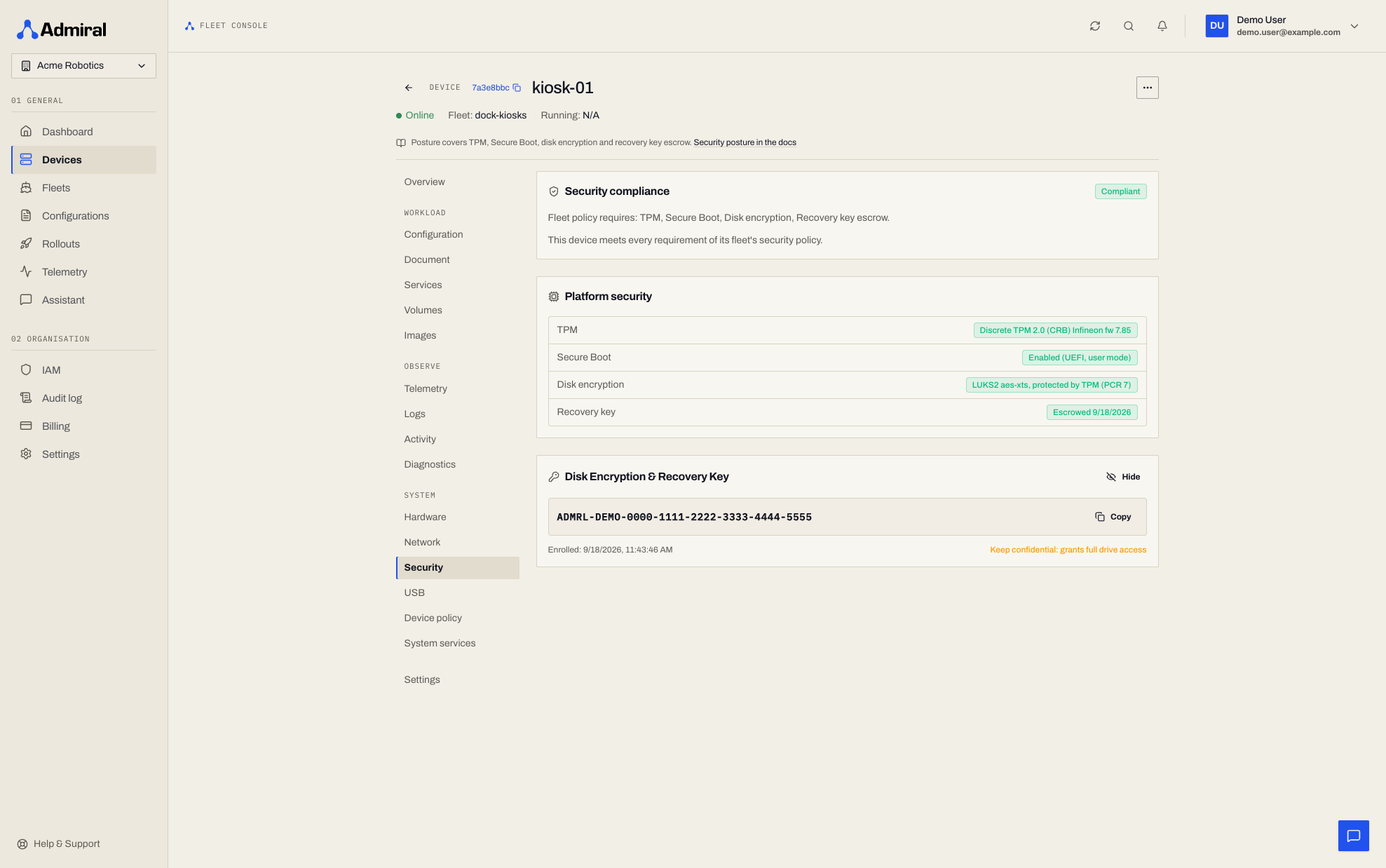
The recovery key grants full access to the drive. Treat it like a root password. Every reveal, and every denied attempt, is recorded in the audit log with who, when, and from where. The key itself is never written to the log.
API: GET /v1/devices/{deviceId}/recovery-key returns recovery_key and staged_at.
Remote Unlock
If a device cannot unseal its disk at boot (for example after a firmware update changed the Secure Boot state), it shows an unlock code such as ABCD-2345 on its screen and waits.
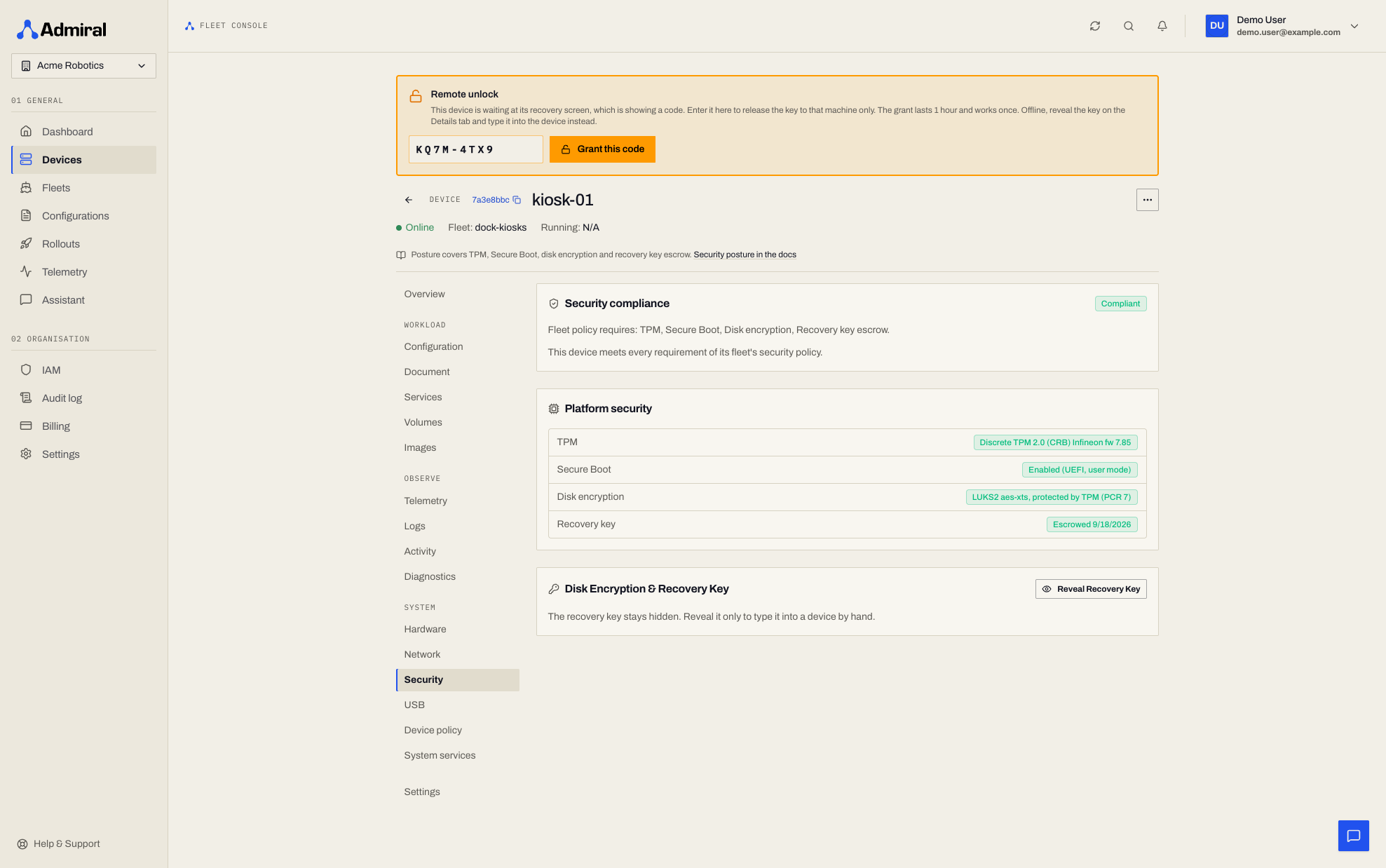
- The device page shows a Remote unlock alert while the device is waiting.
- Read the code from the device's screen, enter it, and click Grant this code.
- The device receives its key within about 30 seconds and continues booting.
The grant is valid for one hour and is released once, only to the device displaying that code. Granting requires the Recover devices capability (device.recovery, held by the Administrator and Owner profiles). Personal API tokens, CLI sign-ins, and MCP tokens are refused, and the grant is recorded in the audit log. Wired network interfaces come up before the disk is unlocked so remote unlock works over Ethernet; Wi-Fi settings are stored on the encrypted disk and are only available after unlock.
API: POST /v1/devices/{deviceId}/remote-unlock with {"code": "ABCD-2345"}.
Hardware Identity
When a device with a TPM is onboarded, it registers its TPM endorsement key and proves that its attestation key lives in the same TPM. Admiral records this link, and it survives OS reinstalls and factory resets, so a physical machine can be recognised across its lifetime.