Dual-Slot A/B Operating System Updates & Version Pinning
Updating core operating systems, kernels, and supervisor firmware on remote edge devices and autonomous robots in the field is traditionally high-risk. A disrupted update or corrupted driver could leave a machine permanently unreachable.
Admiral eliminates field-bricking risks through a dual-slot A/B partition architecture backed by cryptographic image verification and an automated connectivity watchdog.
1. Dual-Slot A/B Partition Layout
The physical boot drive is provisioned with duplicate system root partitions:
Physical Boot Drive Partition Architecture (NVMe / eMMC / SSD)
1. Background Staging: Passive slot written while active workload executes
2. Cryptographic Check: Merkle tree & GPG signatures validated before reboot
3. Trial Boot: New slot must report healthy, or the bootloader returns to the known-good slot
-
Zero In-Place Overwrites: Live running system files are never overwritten while the machine is operating.
-
Passive Background Staging: Operating system updates are downloaded, unpacked, and verified into the passive slot in the background while workloads continue executing undisturbed.
-
Atomic Boot Flag Switch: Once the passive slot is fully written and verified, Admiral Manager signals the bootloader to set the updated slot as the primary target for the next reboot.
-
Per-board bootloader support: The same A/B contract (per-slot boot attempts, trial state, and validity) is implemented for each bootloader family:
Platform Bootloader Slot switching x86_64 (UEFI) Signed GRUB 2 GRUB environment, with per-slot validity and trial counters NVIDIA Jetson Orin GRUB 2 GRUB environment, with per-slot validity and trial counters Supported Rockchip and Allwinner boards U-Boot U-Boot environment, with per-slot validity and trial counters Other ARM boards U-Boot Simple slot selection with a three-attempt boot limit -
Power-safe signed boot configuration: On boards with a signed GRUB configuration, the configuration itself is kept as an A/B pair. An update writes the inactive copy and then switches to it, so losing power mid-update can never leave the device without a valid, signed boot configuration.
-
One maintenance task at a time: Updates, slot repair, and background integrity scrubbing never run concurrently.
2. Cryptographic dm-verity & GPG Verification
Every Admiral OS update manifest is cryptographically verified before boot execution:
- dm-verity Root Hashes: The kernel validates filesystem blocks against a dm-verity Merkle tree hash, guaranteeing the system image has not suffered disk corruption or unauthorized tampering.
- GPG Signed Bootloader Configs: The bootloader configuration is signed by Admiral's release authority and checked against hardware-sealed GPG public keys.
3. Trial Boot, Automatic Rollback & Connectivity Watchdog
What happens if an updated kernel boots, but crashes, hangs, or fails to bring up the network driver?
Trial boot and rollback:
- The updated slot is armed as a trial. The previous slot stays recorded as known-good.
- The update is only committed once the newly booted OS connects to The Admiral Mesh.
- If the new slot never commits (kernel panic, hardware watchdog reset, hang, or a boot that never becomes healthy), the bootloader falls back to the known-good slot on the next boot.
- A version that failed its trial is recorded on the device and is never offered to it again, so a bad release cannot boot-loop the machine.
A trial is judged only after the machine has actually rebooted into the new slot. Restarting the Admiral supervisor without a reboot never counts as a failed trial, and the known-good slot an unproven trial would fall back to is never marked invalid.
1-hour connectivity watchdog: If a device has no connection to Admiral Cloud for an hour after boot, it performs a clean reboot to recover from wedged drivers or network state. This watchdog deliberately does not roll back the OS: a cloud-side outage or a site firewall change would otherwise roll back every device in the fleet at once. Rollback is driven only by the trial-boot mechanism above.
4. Fleet Component Version Pinning
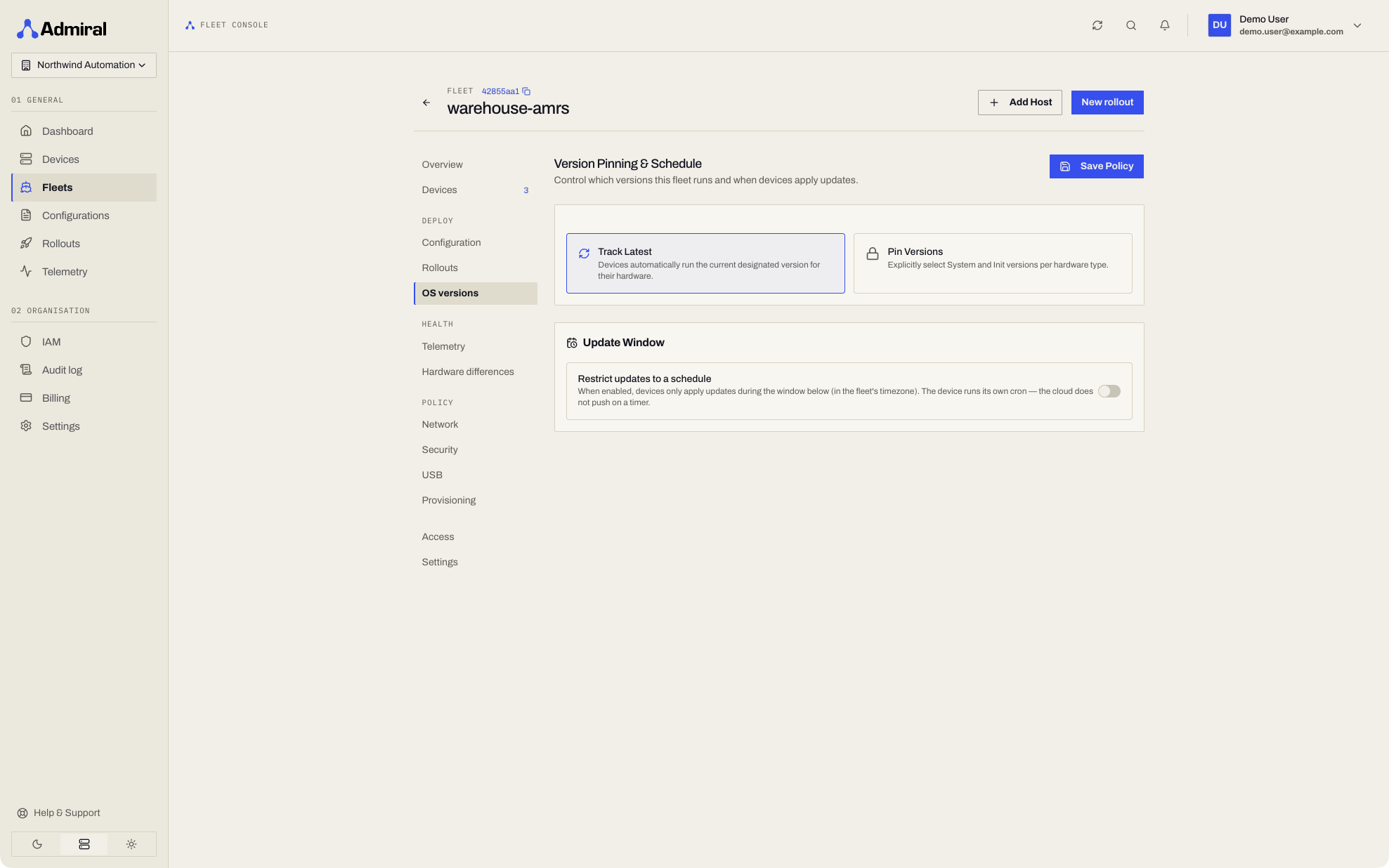
Fleet managers can enforce strict baseline versions across an entire fleet via the Fleet > Deploy > OS versions page:
- Component Granularity: Independently pin and control baseline versions for:
- Admiral Manager (
admiral-init): Core init supervisor and container runtime. - System Rootfs: Base operating system libraries, utilities, and userspace tools.
- Linux Kernel: Hardware device drivers, cgroups, and network stack.
- Admiral Manager (
- Deterministic Fleet Compliance: Any newly provisioned device joining the fleet automatically stages and boots the exact pinned version baseline, eliminating configuration drift across machines deployed months apart.
Version pinning here is about the Admiral OS itself. Pinning your workload image to a fixed tag or digest is covered in Configurations, and keeping cached images on a device in Pinning Cached Images.
5. Minimum Version Floors
To satisfy SOC 2, ISO 27001, and enterprise fleet security baselines, Admiral allows security teams to enforce Minimum Version Floors across all deployed hardware (/v1/system/minimum-versions).
Enforcement modes
- Warning / Audit Mode (
blocking: false):- Devices running OS versions beneath the compliance floor are flagged with an active security alert in the dashboard.
- Telemetry logs track compliance drift for auditors without interrupting production services.
- Strict Quarantine / Blocking Mode (
blocking: true):- Access tokens and JWT credentials are withheld from devices running out-of-compliance OS builds.
- Quarantined devices cannot access internal control fabrics or hub APIs until an administrator or automated rollout brings the machine at-or-above the floor.
Querying breaches via the API
GET /v1/system/minimum-versions/breaches
X-Organization-ID: {orgId}
Returns a paginated list of non-compliant devices, current operating version, configured floor version, and remediation status.