Telemetry: Metrics & Log History
The Telemetry workspace brings every metric and log line your fleet produces into one place. Chart fleet-wide health, drill into a single device, search historical logs, and turn any query into an alert rule without leaving the page.
Open it from the sidebar (Telemetry, https://app.admrl.co/telemetry). The old Metrics page now redirects here.
Every organisation gets device and fleet health for the last 24 hours, log search on one device at a time, and the built-in platform alerts. Longer history, log search and live tail across devices, custom alert rules, webhook delivery of alerts and API access need the Telemetry add-on. Without it, longer ranges and fleet-wide log search show as locked. See Plans & Add-ons.
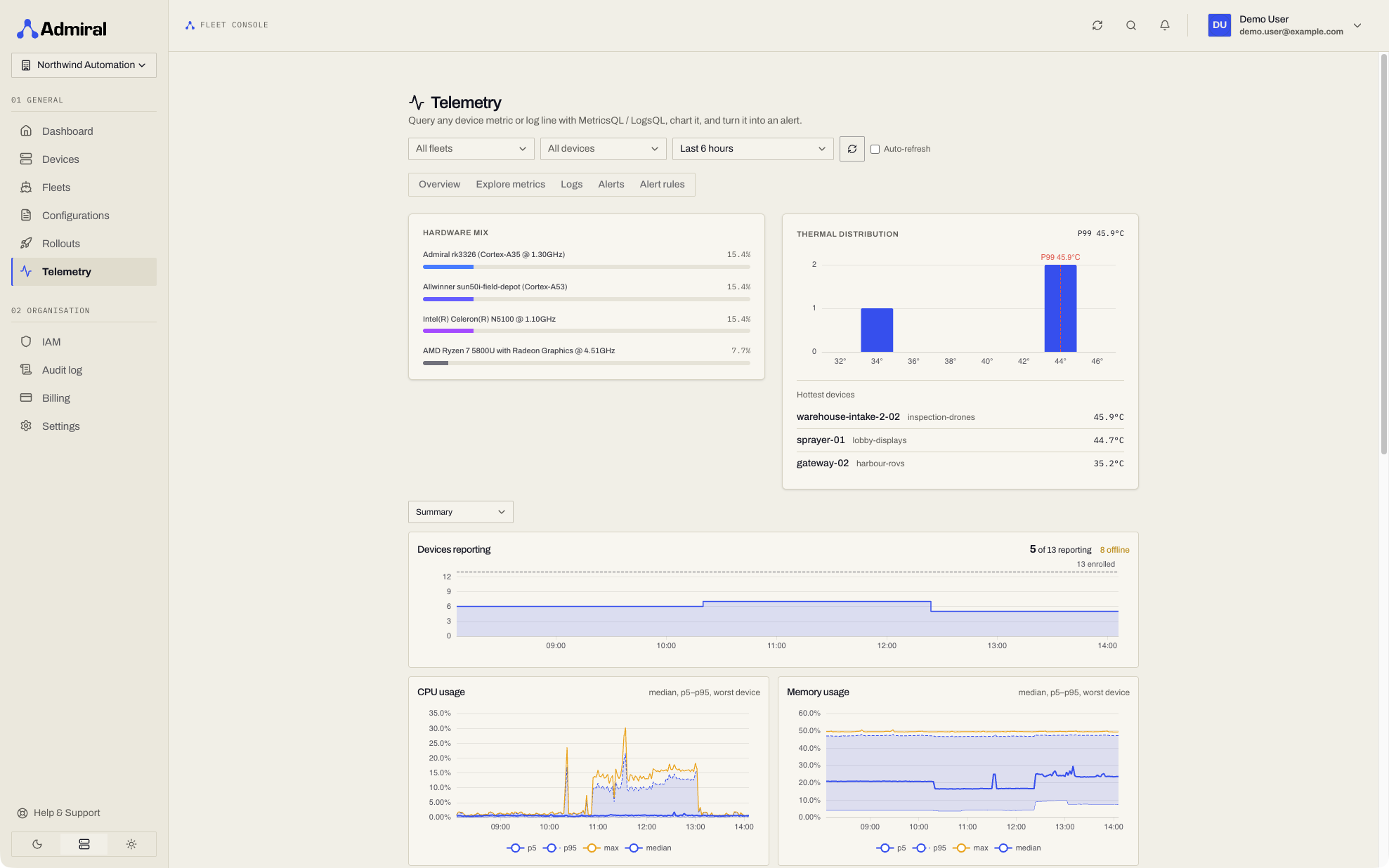
Scope and Time Range
The header controls apply to every tab:
- Scope picker: narrow the view to one or more fleets and devices. Clear scope returns to the whole organisation.
- Time range: Last 15 minutes, 1 hour, 6 hours (default), 24 hours, 7 days, or 30 days. Drag across any chart to zoom to an exact window. 7 and 30 days need the Telemetry add-on.
- Auto-refresh: refreshes every 30 seconds for ranges up to 6 hours, and every 2 minutes for longer ranges.
If your access is limited to specific fleets or devices, a banner shows how many you can see. Queries are always confined to the fleets and devices you are allowed to view; the query text cannot widen that scope.
Tabs
| Tab | URL | What it does |
|---|---|---|
| Overview | /telemetry?tab=overview | Preset health charts for the current scope. |
| Explore metrics | /telemetry?tab=explore | Ad-hoc metric queries with charting. |
| Logs | /telemetry?tab=logs | Historical log search, histogram, and live tail. |
| Alerts | /telemetry?tab=alerts | Firing and resolved alerts. The tab shows a badge with the number currently firing. |
| Alert rules | /telemetry?tab=rules | Create and manage your own alert rules. See Alerts & Alert Rules. |
Overview
Preset charts, each switchable between Aggregate, By fleet, and By device:
- CPU usage (%)
- Memory usage (%)
- Disk usage (%)
- Temperature (°C)
- Load per core
- Network in / out (bytes per second)
- Devices reporting
Explore Metrics
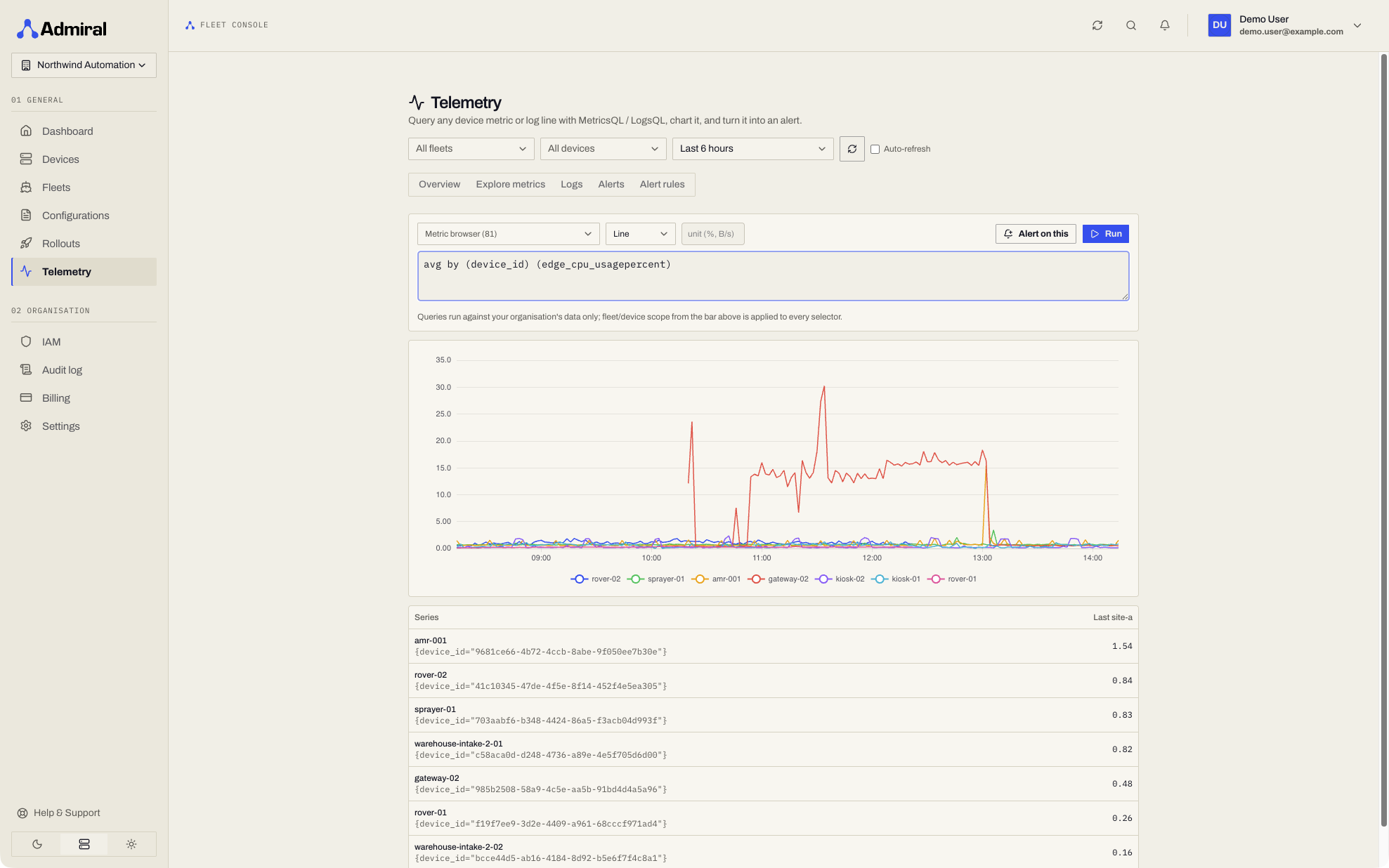
Pick a metric from the metric browser or write a query in MetricsQL, a PromQL-compatible query language, and click Run.
- Chart as Line, Area, or Bar, with an optional display unit.
- A Last value table lists the most recent value of each series.
- Alert on this opens the alert rule dialog prefilled with your query. If the query has no comparison,
> 0is appended so the rule fires whenever the series is non-zero.
Logs
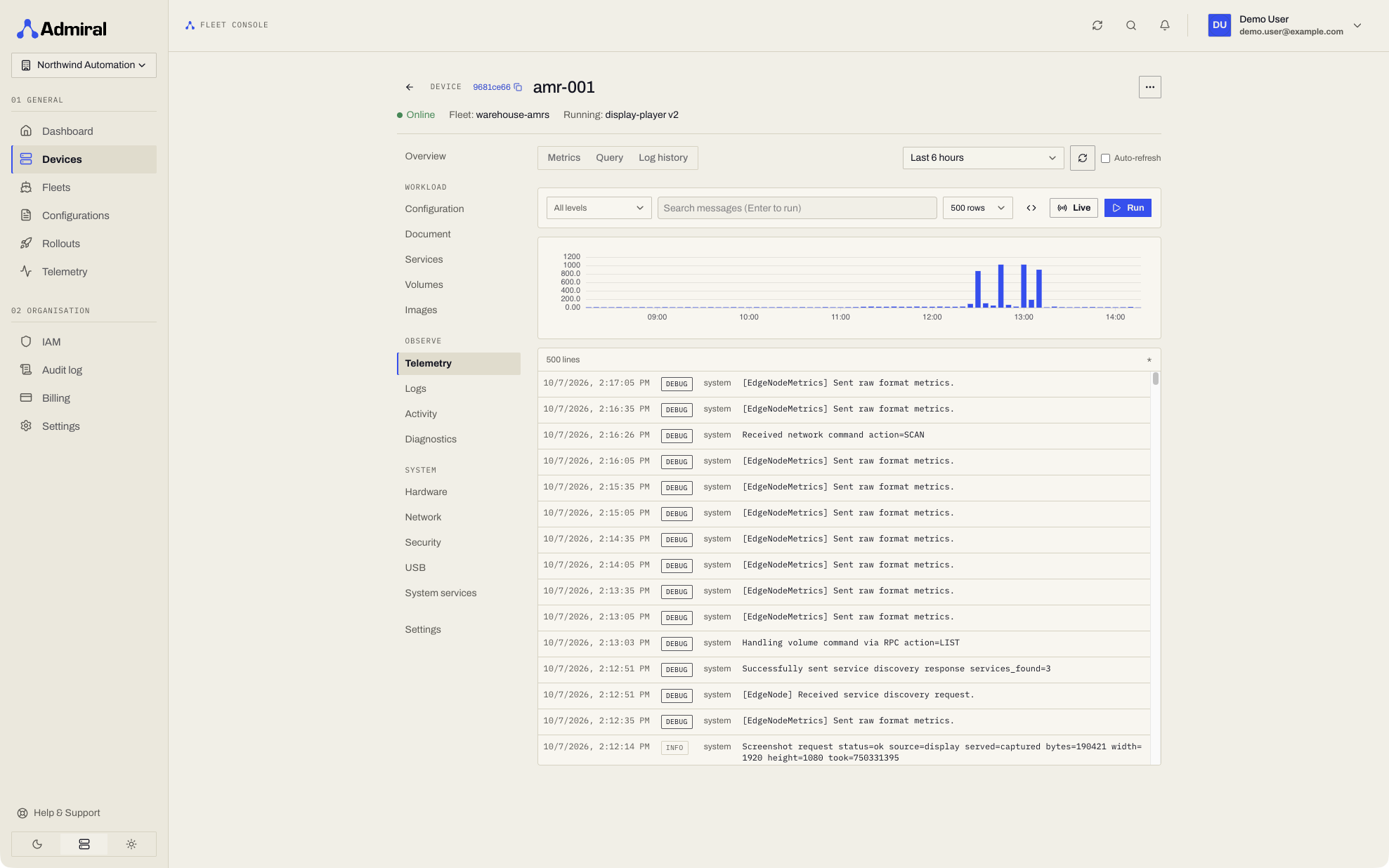
Search historical logs from every device in scope. The same search is also available per fleet and per device: Fleet > Observe > Logs and Device > Observe > Logs.
- Type into the message search box, or click Edit raw LogsQL to write a full LogsQL query (
Ctrl/Cmd + Enterruns it). - Choose how many rows to return (default 500). A histogram above the results shows when matching lines occurred.
- Live streams new matching lines as they arrive; Stop ends the stream. Long-running streams reconnect automatically every 15 minutes.
- Alert on this turns the search into a log alert rule.
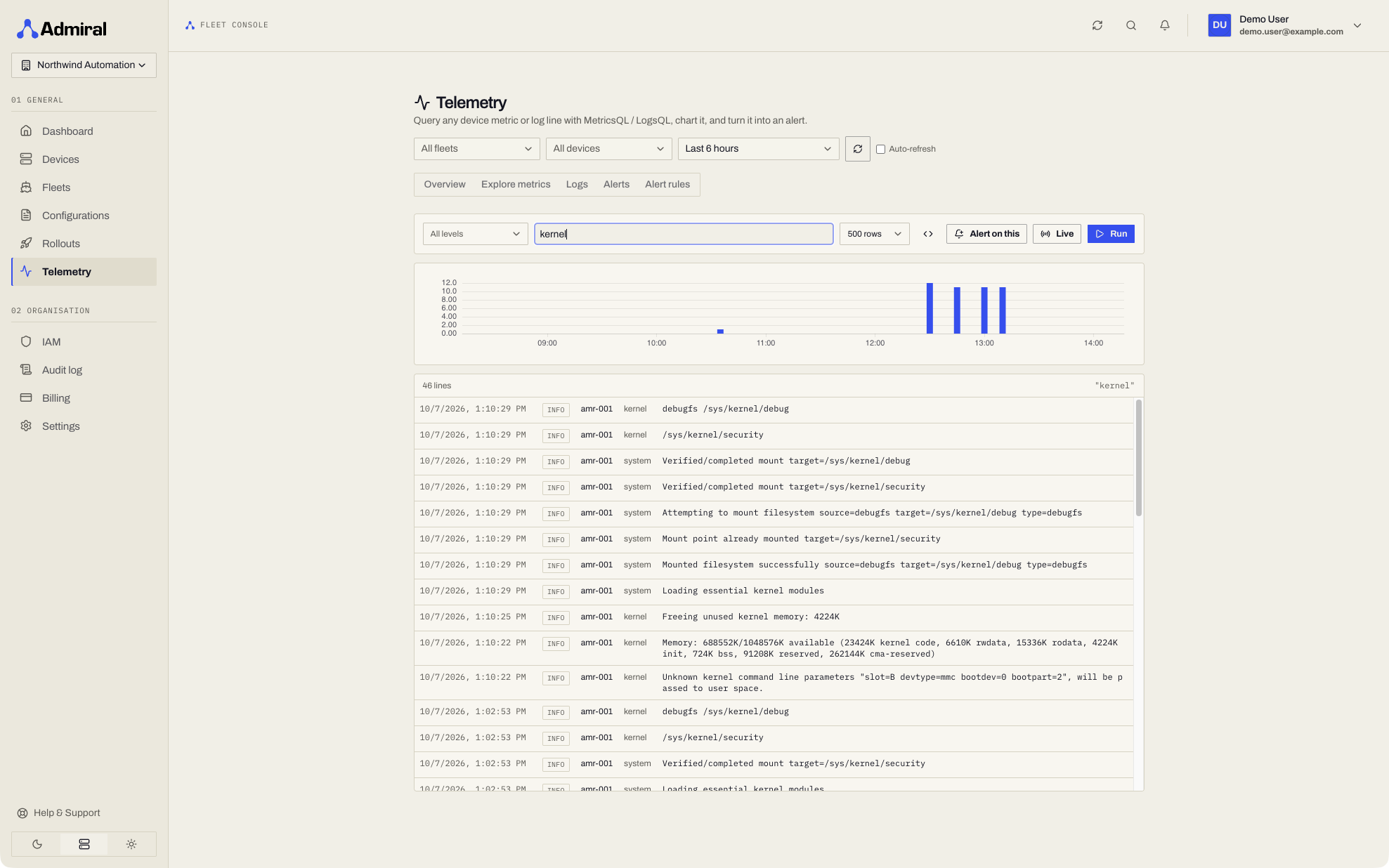
The device Logs page and Fleet > Observe > Logs search stored history and can follow new lines with Live. See Logs.
Telemetry on Fleet and Device Pages
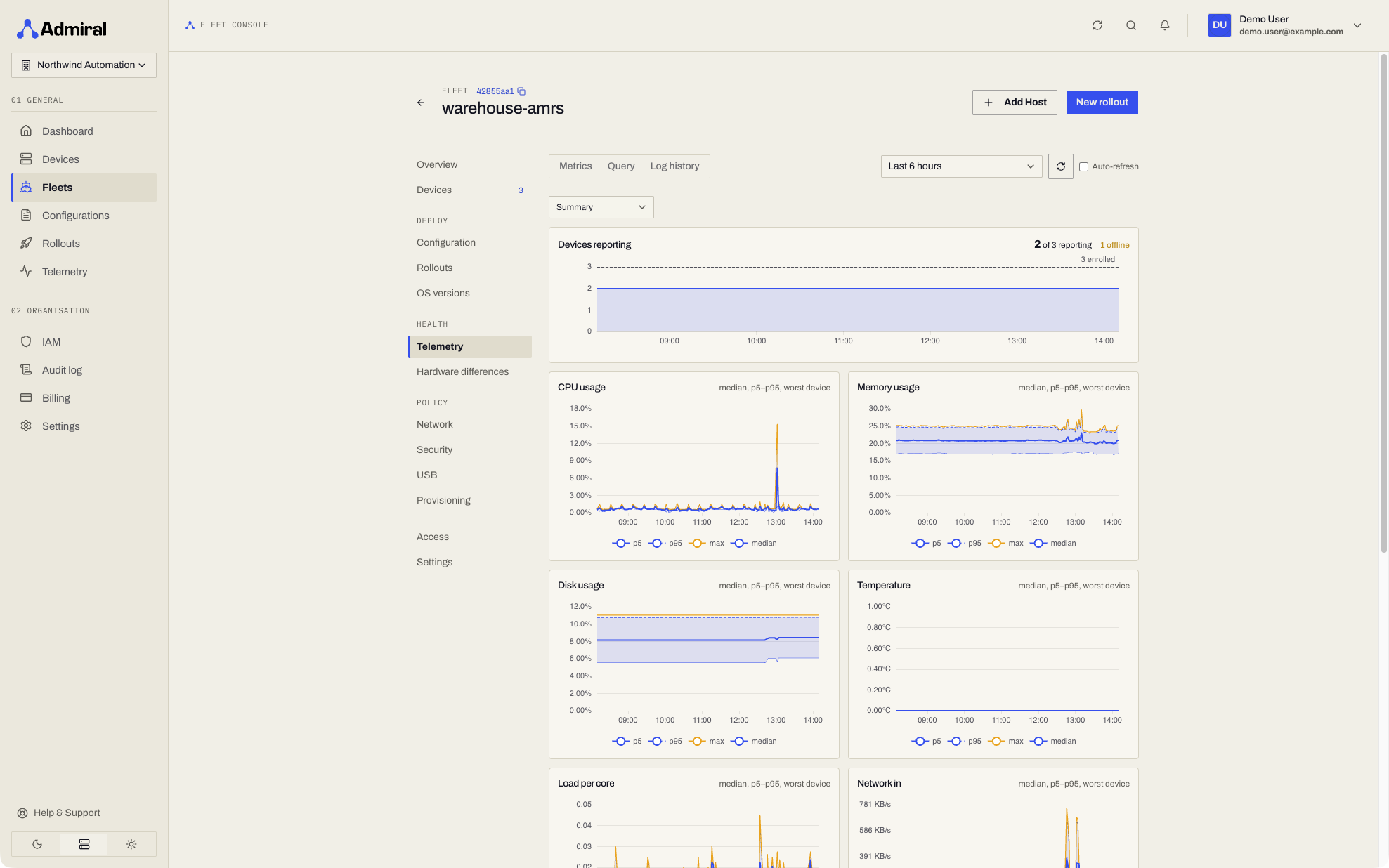
The same tools are embedded in fleet and device views:
- Fleet > Observe > Telemetry (
/fleets/<fleet-id>/health/telemetry): metrics grouped by device across the fleet. - Device > Telemetry: metrics and queries for that one device.
Both have sub-tabs for Metrics, Custom and Query. Log search is on the Logs pages. They default to the last 6 hours.
Access
Access to telemetry is controlled by Roles & Permissions:
| Identity / Scope | What they can query |
|---|---|
| Organisation-scoped roles with View telemetry and logs (Owner, Administrator, Engineer, Technician, Viewer) | All telemetry across the entire organisation. |
| Identities with fleet or device access (View fleets and devices) | Telemetry only for the specific fleets and devices they can view. |
| Service accounts | Can query organisation-wide telemetry if assigned a role with View telemetry and logs at organisation scope; otherwise restricted to their permitted fleets and devices. |
Permission changes take up to about 30 seconds to apply. Telemetry queries keep working while an organisation is billing-locked, because they are read-only.
API
Telemetry is available to service accounts and API tokens under /v1/telemetry with the Telemetry add-on; without it these requests return 402 with reason telemetry_api (see Plans & Add-ons). Every request is confined to the caller's scope.
| Endpoint | Purpose |
|---|---|
GET /v1/telemetry/scope | Returns the caller's effective scope: org_wide, fleet_ids, device_ids. |
GET|POST /v1/telemetry/metrics/query | Instant metric query (Prometheus-compatible). |
GET|POST /v1/telemetry/metrics/query_range | Range metric query. |
GET|POST /v1/telemetry/metrics/series, /labels, /label/{name}/values | Metric discovery. |
GET|POST /v1/telemetry/logs/query | Log query (LogsQL). Results are newline-delimited JSON. |
GET|POST /v1/telemetry/logs/hits, /stats_query, /stats_query_range, /facets, /field_names, /field_values, /streams | Log aggregation and discovery. |
GET|POST /v1/telemetry/logs/tail | Live log tail (closes after 15 minutes). |
Narrow any request with scope_fleet_id and scope_device_id (repeatable or comma-separated, up to 500 IDs). A fleet or device you cannot see returns 404.
Limits: log queries return 1,000 rows by default and at most 10,000; queries time out after 60 seconds.
# Average CPU per device in one fleet, last 6 hours, 5-minute steps
curl -sS "https://api.admrl.co/v1/telemetry/metrics/query_range" \
  -H "Authorization: Bearer $ADMIRAL_TOKEN" \
  -H "X-Organization-ID: $ADMIRAL_ORG" \
  --data-urlencode 'query=avg by (device_id) (edge_cpu_usagepercent)' \
  --data-urlencode "start=$(( $(date +%s) - 21600 ))" \
  --data-urlencode "end=$(date +%s)" \
  --data-urlencode 'step=300s' \
  --data-urlencode "scope_fleet_id=$FLEET_ID"
Device metrics are prefixed edge_ (for example edge_cpu_usagepercent, edge_memory_usagepercent, edge_disk_usagepercent, edge_system_temperature, edge_network_totalrxbytes) and carry device_id and fleet_id labels. Use Explore metrics to browse the full list.
Telemetry queries are not written to the audit log.